How to Calculate Electrical Load for a Home Office
Quick Summary
Electrical load is the total power your home office devices draw at the same time, measured in watts or amps. To calculate it, list every device's wattage, multiply by quantity, add the totals, then divide by your circuit voltage to get amps and compare against the breaker's rating.
- Check nameplate labels for wattage, or multiply volts by amps when only amps are listed.
- Use peak wattage readings from a plug-in power meter, not idle readings, for printers and heaters.
- On a 120-volt circuit, amps equal total watts divided by 120.
- A 20-amp circuit should carry no more than about 16 amps of continuous load.
- Space heaters often draw more than all other office equipment combined, so count them carefully.
Table of Contents
- What Electrical Load Means for a Home Office and Why It Matters
- Gathering Wattage Ratings From Your Office Equipment
- Free Electrical Load Calculation Spreadsheet: Building Your Own Worksheet
- Converting Watts to Amps and Applying Demand Factors
- Free Electrical Load Calculator and Electricity Load Calculator in kW for Home Use
- Free Electrical Panel Load Calculator: Checking Branch Circuit and Panel Capacity
- Booking a Home Office Load Review With Precision Power Services
- Frequently Asked Questions
What Electrical Load Means for a Home Office and Why It Matters
Last Updated: November 4, 2026
Electrical load is the total power your devices and equipment draw from your home's wiring at the same time. For a home office, that means your computer, monitors, printer, router, and any space heater or mini fridge you run during the workday. Knowing your load helps you avoid tripped breakers, overheated wires, and flickering lights.
Adding a dedicated office without checking capacity first is a common source of these problems. The fix starts with simple math, and this guide walks you through it step by step.
Electrical load is the amount of power a circuit or panel must supply, measured in watts, amps, or kilowatts.
Watch out: a circuit can handle a surprising amount of equipment on paper and still trip the moment a second heater turns on. The breaker reacts to total current, not to how sensible the setup looks.
Gathering Wattage Ratings From Your Office Equipment
Start by walking around your desk and writing down every device that plugs into an outlet in the office, not just the computer. A realistic home-office inventory usually includes:
- One laptop or desktop tower and its charger or power supply
- One to three monitors
- A dock, hub, or KVM switch
- A router, modem, and maybe a mesh node
- A printer or scanner
- Desk lamp or overhead lighting on the office circuit
- Phone and headset chargers
- Speakers, a webcam, or a microphone
- A space heater, fan, mini fridge, or coffee maker if you keep one in the room
That last group is where most home-office overloads come from. A single space heater can draw more power than every other device on your desk combined.
Next, find each device's wattage. Most products list it on a label or nameplate, and the label is the most reliable source because it reflects the manufacturer's rated input, not a marketing estimate.
- Laptop charger: typically 45 to 100 watts
- Desktop computer: often 150 to 500 watts, depending on the CPU and GPU
- Monitor: commonly 20 to 60 watts; larger or high-refresh panels run higher
- Laser printer: several hundred watts while printing, much less at idle
- Router and modem: usually under 30 watts combined
- Space heater: commonly 750 to 1,500 watts on high
Write each number down next to the device. You will use them in the next steps.
Reading Nameplate Ratings and Using Measurements When Wattage Is Unknown
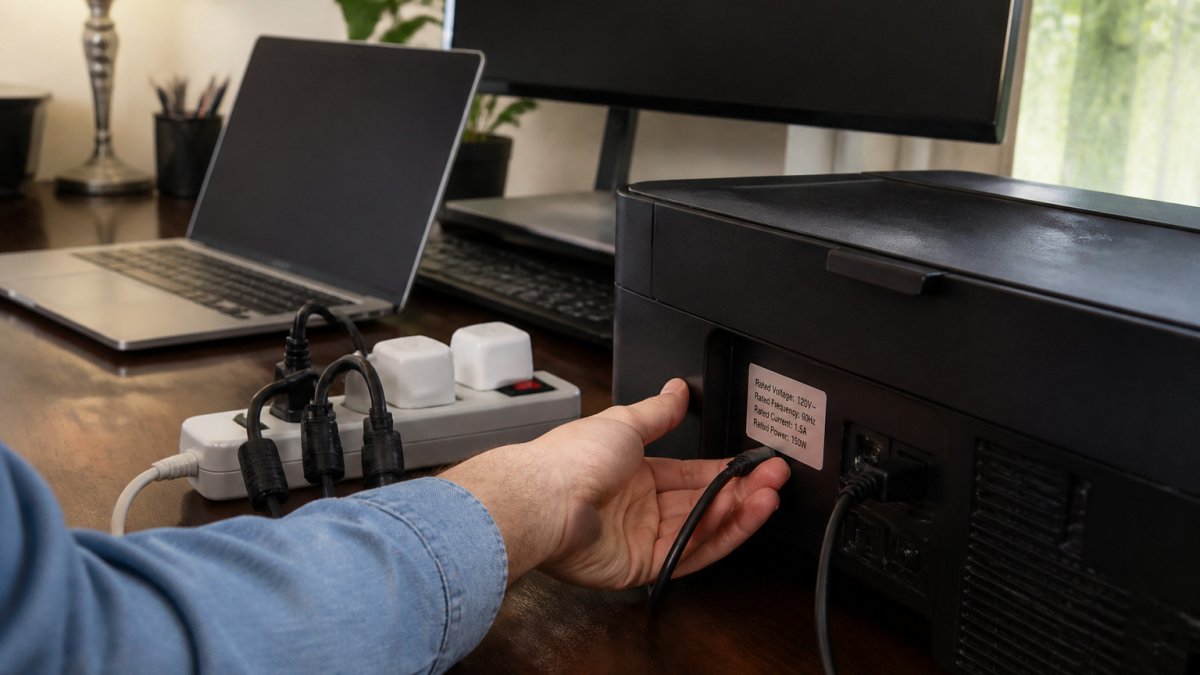
Look for a sticker or small printed plate on the back or bottom of each device. It usually lists voltage (V), amperage (A), or wattage (W).
- If you see watts, use that number directly.
- If you see amps and volts, multiply them: watts = volts × amps.
- If you see only amps, multiply by your home's voltage, usually 120 volts for standard outlets.
A common pattern is a nameplate that lists only input amps, such as "1.5A." At 120 volts that is 180 watts, which is the number you enter in your worksheet. If the label shows a range, use the higher number so your calculation stays conservative.
When the label is worn or missing, plug the device into a plug-in power meter, sold at most hardware stores. It shows real-time wattage while the device runs. Measure during normal use, then again during peak use, such as when a printer is warming up or a monitor is at full brightness.
Watch out: a power meter reads what the device is drawing at that moment, so a reading taken at idle can understate a printer, heater, or gaming PC by several hundred watts. Take the peak reading, not the idle one, when you size a circuit.
Free Electrical Load Calculation Spreadsheet: Building Your Own Worksheet
A spreadsheet keeps your numbers organized and makes the math easy to repeat. Create three columns: Device, Watts, and Quantity.
Here is a simple layout:
| Device | Watts | Quantity | Total Watts |
|---|---|---|---|
| Laptop | 65 | 1 | 65 |
| Monitor | 35 | 2 | 70 |
| Printer | 400 | 1 | 400 |
| Router | 20 | 1 | 20 |
In the Total Watts column, enter a formula that multiplies Watts by Quantity. Then add the totals at the bottom to get your office's connected load.
Save the file and update it whenever you add equipment. A worksheet you keep current beats a one-time guess.
Converting Watts to Amps and Applying Demand Factors
To find amps, divide total watts by your circuit voltage. In a standard U.S. 120-volt office circuit, a 1,440-watt total equals 12 amps (1,440 ÷ 120).
Most circuits in U.S. homes are rated at 15 or 20 amps. For continuous loads, such as equipment running three hours or more, the National Electrical Code generally limits the circuit to 80 percent of its rating. A 20-amp circuit should carry no more than about 16 amps of continuous load.
Demand factors recognize that not every device runs at full power at once. Your printer and space heater rarely run at the same time, so you can plan around realistic use rather than the sum of every label.
Watch out: a heater or printer that cycles on and off can still overload a circuit during startup. Plan for surges, not just averages.
Free Electrical Load Calculator and Electricity Load Calculator in kW for Home Use
If you prefer not to build a worksheet, use an online electrical load calculator. Enter your device wattages and the calculator returns total load in watts, amps, and kilowatts (kW). One kilowatt equals 1,000 watts.
Converting to kW helps when you compare your office load to whole-home service. A typical U.S. residential service is 100 to 200 amps, so the kW rating of your entire home is far larger than a single office circuit.
Many calculators are free, but results are only as accurate as your inputs. Double-check every wattage before trusting the total.
Free Electrical Panel Load Calculator: Checking Branch Circuit and Panel Capacity
A panel load calculator checks two different things, and mixing them up is the most common mistake in home-office load planning. The first is the branch circuit that feeds your office outlets. The second is the main service panel, which must support every circuit in the house. They use different math and answer different questions.
Branch-circuit check. This answers: will the office circuit trip? Add the wattage of every device that can run on that circuit at the same time, convert to amps, and compare to the breaker. On a 120-volt circuit, amps = watts ÷ 120. A 20-amp circuit has a continuous-load limit of about 16 amps (80 percent of 20), which is 1,920 watts. A 15-amp circuit tops out near 12 amps, or 1,440 watts, for continuous loads.
Worked example for a typical home office on one 20-amp circuit:
- Desktop computer: 350 watts
- Two monitors: 45 watts each, 90 watts total
- Dock and router: 40 watts
- Desk lamp: 15 watts
- Laser printer, peak: 400 watts
- Phone and headset chargers: 20 watts
That totals 915 watts, or about 7.6 amps at 120 volts, comfortably inside a 20-amp circuit. Now add a 1,500-watt space heater and the total jumps to 2,415 watts, or about 20 amps, which exceeds the 16-amp continuous limit and will likely trip the breaker the first time the printer warms up while the heater is on.
Service-panel check. This answers: does the whole house have capacity for the office plus everything else? This is where the National Electrical Code's residential load calculation methods come in. They account for general lighting and receptacles by square footage, small-appliance and laundry circuits, major appliances, HVAC, and demand factors that recognize not everything runs at once. A home-office circuit is a small line item in that calculation, but adding a dedicated circuit, a space heater, or an EV charger can push an older 100-amp service toward its limit.
A practical shortcut: compare your office's calculated load to the open capacity on the panel. If the office circuit is the only new load and the panel has open slots and a main breaker sized well above the home's calculated demand, a dedicated 20-amp circuit is usually straightforward. If the panel is already near its calculated demand, or you are adding a heater, server, or EV charger, the service calculation, not the branch circuit, is the deciding factor.
Watch out: a panel that looks like it has open slots can still be at or near its service limit, and double-tapped breakers or undersized wiring are not visible from the cover. Panel capacity and any circuit changes are questions a licensed electrician should answer.
Booking a Home Office Load Review With Precision Power Services
If your numbers come close to your breaker ratings, or if you plan to add a space heater, EV charger, or larger equipment, a professional review gives you a clear answer. A reader who finds their panel is too small can see what a panel upgrade costs in Vermont before deciding next steps. Precision Power Services, a Vermont licensed electrician, can check your office circuit and panel against your load. You can also see what electrical inspections for buyers, sellers, and insurance cover, including panel and grounding checks.
You can book a load review online with Precision Power Services to get a clear plan for your office.
Frequently Asked Questions
How do I calculate the electrical load for a home office?
Start by listing every device on the office circuit and its wattage, usually printed on the nameplate or power supply. Add those wattages together for the connected load. Then apply a demand factor where appropriate, since not every device runs at full power at once. Divide the total watts by the circuit voltage to estimate amps, and compare the result to the breaker rating. Keep a safety margin, and have a licensed electrician verify the results before making changes.
How many watts does a typical home office use?
A typical home office with a laptop, monitor, printer and router often draws a few hundred watts when everything runs together. Desktop computers, space heaters and mini fridges can add significantly more. The only reliable figure comes from your own equipment, so check nameplate ratings rather than relying on averages. A simple worksheet listing each device makes the total easy to see.
How do I convert watts to amps for a home office circuit?
Divide watts by volts to get amps. In a typical U.S. 120-volt office circuit, 1,200 watts equals about 10 amps. Compare the calculated amps against the circuit breaker rating, which is often 15 or 20 amps. Keep continuous loads, which run three hours or more, at no more than 80 percent of the breaker rating. If the numbers come close to the limit, have an electrician review the circuit.
Should I include a printer or space heater in the load calculation?
Yes, include any device that may run on the same circuit, even occasionally. A laser printer can draw a noticeable surge when warming its fuser, and a space heater can draw 1,500 watts by itself, which can overload a 15-amp circuit. Occasional equipment matters because simultaneous use is what trips breakers. If a space heater is part of your plan, consider a dedicated circuit rather than sharing one with the office equipment.
Planning a home office should feel simple, not risky. Start with your wattage list, run the math, and schedule a review if the numbers are tight. Book a load review with Precision Power Services and get a clear answer before you plug in the next device.
Need an electrician in Rutland or central Vermont?
Precision Power Services is a licensed and insured electrical contractor serving Rutland, Killington, Brandon, Castleton, and surrounding towns. Call (802) 417-0587 or book online.
← Back to blog