How to Choose Smart Bulbs for Dimmable Fixtures

Last Updated: November 12, 2026
Quick Summary
Choose smart bulbs for dimmable fixtures by first checking the fixture type, bulb base, and the wall dimmer already controlling it, then confirming the bulb is listed as compatible with that dimmer. If the dimmer is unknown or incompatible, a smart switch or LED-rated dimmer is the most reliable fix.
- Check the fixture type, bulb base, and whether a wall dimmer controls it before shopping.
- Confirm the bulb is listed as compatible with your specific dimmer model.
- Compare total LED wattage on the circuit against the dimmer's LED rating, not its incandescent rating.
- Smart bulbs need continuous power, so wall switch-off cuts app control until power returns.
- Have a licensed electrician handle dimmer replacement or any wall box wiring work.
Table of Contents
- Start With Your Fixture and Existing Dimmer
- A Compatibility Decision Tree for Smart Bulbs With Dimmer Switches
- Smart Bulb vs. Smart Switch: Which Fits Your Fixture
- Choosing a Dimmable Smart Bulb With a Remote
- Fixing Flicker, Buzzing, and Low-End Dimming
- Safety Checks, Manufacturer Limits, and Power Loss
- Booking a Fixture Review Before You Buy
- Frequently Asked Questions
Start With Your Fixture and Existing Dimmer
Choosing smart bulbs for dimmable fixtures starts with the hardware already on your wall, not the bulb you want to buy. A smart bulb only works as intended when the fixture and the dimmer behave the way the bulb expects. Check those two things first and most returns, flickers and frustrations never happen.
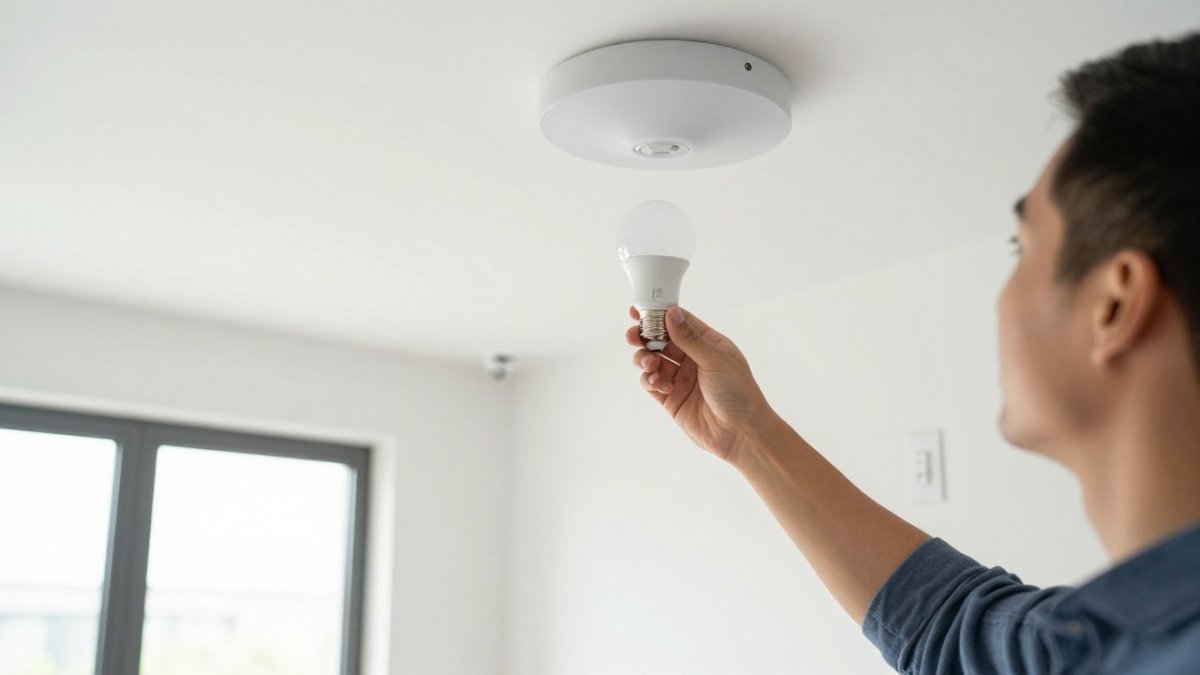
Smart bulbs generally fall into two groups: those that take power directly from the fixture and those that need the wall switch left on. Don't assume an existing wall dimmer will control a smart bulb correctly. Conventional dimmers were often built for incandescent or basic dimmable LED loads, and mismatches can cause flicker, buzzing, or bulbs that never reach full brightness.
Write down these details before you shop:
- The fixture type (table lamp, ceiling fixture, recessed can, or pendant)
- The bulb base and shape (for example, A19 or BR30)
- Whether a wall dimmer currently controls the fixture
Check whether the fixture is enclosed or recessed
Enclosed fixtures trap heat, and recessed cans often sit inside insulation. Both shorten bulb life and affect low-end dimming. Check the rating printed on the fixture or in its documentation before choosing a higher-lumen bulb, since excess heat is a leading cause of early failure.
Recessed lighting also has its own limits. Some smart bulbs are not rated for enclosed or insulated-ceiling installations, so confirm the bulb's listed fixture compatibility before you buy.
Identify the dimmer type on the wall
Check the dimmer label and how the knob or slider moves; rotary, slide, and touch dimmers behave differently with LED loads. If you can't identify the dimmer, the bulb manufacturer's compatibility list is the safest reference.
Replacing a dimmer with a model rated for LED loads can fix a flicker problem. This is electrical work, so turn off the breaker before opening any wall box, and bring in a licensed electrician if you are not comfortable doing it yourself.
A Compatibility Decision Tree for Smart Bulbs With Dimmer Switches
Use this decision tree to narrow your choice before you buy anything.
- Is there a wall dimmer controlling the fixture? If no, any compatible smart bulb works with app or voice control. If yes, continue.
- Is that bulb listed as compatible with the dimmer? If yes, use the bulb with the dimmer left on. If no or unclear, continue.
- Can you leave the wall switch permanently on? If yes, let the bulb do all the dimming via app, voice, or remote. If no, continue.
- Can the dimmer be replaced with a smart switch or an LED-rated dimmer? If yes, that upgrade is the most reliable result. If no, choose a smart bulb that doesn't depend on the wall dimmer.
A dimmer that was fine for incandescent bulbs may cause low-end flicker with a smart LED.
Smart Bulb vs. Smart Switch: Which Fits Your Fixture
A smart bulb replaces the light source. A smart switch replaces the wall control.
Smart bulbs are generally the easier retrofit: screw in the bulb, pair it with your app or hub, and skip the wiring.
Smart switches keep the wall control working for everyone.
Many people end up using both: smart switches for the main room fixtures and smart bulbs for lamps and accent lights.
Choosing a Dimmable Smart Bulb With a Remote
Some smart bulbs include a remote control, which gives you dimming without a phone or a hub. This can be useful in rooms where the wall switch is off or where app control is inconvenient.
Check these points before buying a bulb with a remote:
- Whether the remote pairs directly with the bulb or needs a hub
- The minimum dimming level the bulb reaches
- Whether it keeps its last setting after a power cut
A remote is most helpful for lamps and fixtures you rarely switch at the wall.
Brightness and color also matter. Lumen output tells you how bright the bulb gets; color temperature in Kelvin tells you how warm or cool it looks.
Fixing Flicker, Buzzing, and Low-End Dimming
Flicker, buzzing, and bulbs that drop out at low settings are the most common complaints when a smart bulb meets an existing wall dimmer. In most cases the bulb is fine; the problem is a mismatch between the dimmer, the load, and the bulb's driver. A symptom-to-cause approach gets you to the fix faster than swapping bulbs at random.
Match the symptom to the likely cause
- Flicker at all brightness levels. Usually a dimmer not designed for LED loads, or a bulb driver that doesn't support the dimmer's phase-control method. Incandescent-era dimmers often can't hold a stable low-wattage LED load.
- Flicker only at the low end. Often a minimum-load problem: LEDs draw far less wattage than the incandescent bulbs the dimmer was rated for, so it loses control near the bottom of its travel.
- Buzzing from the bulb or dimmer. Frequently an overloaded dimmer or a driver incompatible with the dimmer's waveform. A dimmer near or above its rated wattage will buzz, run warm, and wear out early.
Do the load math before you blame the bulb
Dimmers carry a load rating, and LED loads are usually rated much lower than incandescent loads on the same dimmer.
Watch out: exceeding a dimmer's rated load is a fire and failure risk, not just a performance nuisance, if the dimmer feels hot to the touch or buzzes steadily, stop using it and have a licensed electrician check the circuit.
Understand what the bulb's driver is doing
A smart bulb's driver converts incoming AC to the low-voltage DC its LEDs need and expects a steady supply. A wall dimmer that chops the waveform can confuse the driver, which is why two identical-looking bulbs behave differently on the same dimmer. The manufacturer's compatibility list is the most reliable guide when the symptom is flicker or buzz.
Check the bulb's dimming range and minimum level
Smart bulbs publish a dimming range, often as a percentage of full brightness. A bulb that dims to a low percentage goes dimmer than one with a higher floor. If the light never gets dim enough, the bulb's minimum level, not the wall dimmer, is usually the limit. App settings sometimes let you raise the floor to stop flicker at the very bottom, trading a little dimness for stability.
Power cycling and hub checks
Power cycling clears many temporary connection problems: switch the wall off for about 10 seconds, back on, and wait for the bulb to reconnect. On a hub, confirm the hub is online and the bulb appears in the app. If flicker continues after a power cycle, the cause is almost always hardware compatibility or wiring, stop testing and have a licensed electrician inspect the dimmer, wiring, and total circuit load.
Common symptoms point to different causes, so match what you see to the likely fix before swapping bulbs.
| Symptom | Likely cause | Fix |
|---|---|---|
| Flicker at all brightness levels | Dimmer not designed for LED loads | Use a compatible or LED-rated dimmer |
| Flicker only at the low end | Load below the dimmer's minimum | Check total LED wattage against the dimmer |
| Buzzing from bulb or dimmer | Overloaded dimmer or waveform mismatch | Confirm dimmer rating and driver compatibility |
| Bulb goes dark before slider bottoms out | Bulb's minimum dimming level | Accept the floor or raise it in the app |
| Flicker when another fixture turns on | Shared-neutral or wiring issue | Have an electrician inspect the circuit |
Safety Checks, Manufacturer Limits, and Power Loss
Electrical safety and continuous power are the two constraints that decide whether a smart bulb setup actually works day to day. Handle both before you install anything.
Identify the dimmer before you trust it
Find the dimmer's brand and model on or behind the faceplate, and note whether it's rotary, slide, or touch. Look up that model's published compatibility list, manufacturers test specific bulb-and-dimmer combinations, and a bulb not on the list isn't proven to work even if it fits. If the dimmer is unlabeled or too old to identify, treat it as incompatible until an electrician confirms otherwise.
Follow the manufacturer's limits exactly
- Respect the dimmer's load rating. Compare the total wattage of all bulbs on the circuit to the dimmer's LED rating, not its incandescent rating.
- Check the bulb's listed fixture types. Documentation states whether a bulb is rated for enclosed fixtures, damp locations, or insulated ceilings. Using it outside those limits can void the warranty and create a fire risk.
- Avoid enclosed fixtures unless the bulb is rated for them. Trapped heat shortens LED life and can change dimming behavior.
Watch out: a bulb used outside its listed dimmer or fixture limits may work at first and fail later, the warranty often excludes exactly those conditions.
Keep control when power is cut at the wall
Most smart bulbs need continuous power to stay connected. Flip the wall switch off and the bulb stops responding to the app or voice assistant until power returns.
If you want app and voice control to survive a wall switch being turned off, you have a few options:
- Leave the wall switch on and control the bulb via app, voice assistant, or remote. Simplest for lamps and fixtures not on a dimmer.
- Replace the wall switch with a smart switch or an LED-rated dimmer, so wall control and smart features work together.
- Use a switch guard or a smart switch that keeps constant power to the bulb while still giving everyone a physical control.
For wiring, dimmer upgrades, or any work involving a wall box, a licensed electrician should handle the job. Precision Power Services provides electrical solutions for homes and businesses throughout Rutland and central Vermont.
Booking a Fixture Review Before You Buy
If your fixtures are older, your dimmer unfamiliar, or you're planning several smart lighting upgrades at once, a professional review saves time and money. An electrician can check the dimmer model, wiring, fixture type, and total load, then recommend the right path.
Precision Power Services, a Vermont licensed electrician serving Rutland and central Vermont, can review your fixtures and recommend an appropriate setup. Book a fixture review before you buy to confirm your wiring and dimmer will support the smart bulbs you have in mind.
Smart bulbs for dimmable fixtures can deliver excellent control and energy savings when the bulb, the fixture, and the dimmer are matched.
Frequently Asked Questions
Are there any smart bulbs that work with dimmer switches?
Some smart bulbs are designed to work with standard wall dimmers, but many are not. Check the manufacturer's compatibility list for the specific model and dimmer type before buying. Bulbs that accept power directly through a standard dimmer usually need to be labeled as dimmable and may specify a minimum load or a compatible dimmer brand. Smart bulbs that expect constant power may not respond well to a wall dimmer, and the dimmer can cause flickering or failure to turn on. If the manufacturer does not list your dimmer, treat the combination as unsupported.
Can I use a smart bulb in a dimmable lamp?
A dimmable smart bulb can usually work in a dimmable lamp that uses a lamp-level control, such as a touch or rotary switch built into the base, but the lamp's internal dimmer may conflict with the bulb's own dimming. Test the bulb in the lamp and confirm that the app or remote still controls brightness. If the lamp uses a plug-in or table-top control, that control is often the only thing that needs to be replaced or bypassed for consistent results.
Can a regular wall dimmer cause a smart bulb to flicker?
Yes. A conventional wall dimmer designed for incandescent loads can cause flicker, buzzing, or dropouts with some smart bulbs, especially at low brightness settings. The problem usually comes from the dimmer sending a chopped waveform that the bulb's electronics do not handle well. Replacing the wall dimmer with one the bulb maker lists as compatible, or using a smart switch that controls the circuit, often solves the problem.
Should I use a smart bulb or a smart dimmer switch?
Use a smart bulb when you want individual control of one fixture or a lamp without rewiring. Use a smart switch or smart dimmer when you want to control several fixtures from one wall position and when the fixtures use standard bulbs. A smart switch is often the more reliable choice for recessed or enclosed fixtures, because it handles the dimming at the circuit level. Confirm that your existing bulbs are compatible with the smart dimmer before buying.
Need an electrician in Rutland or central Vermont?
Precision Power Services is a licensed and insured electrical contractor serving Rutland, Killington, Brandon, Castleton, and surrounding towns. Call (802) 417-0587 or book online.
← Back to blog